
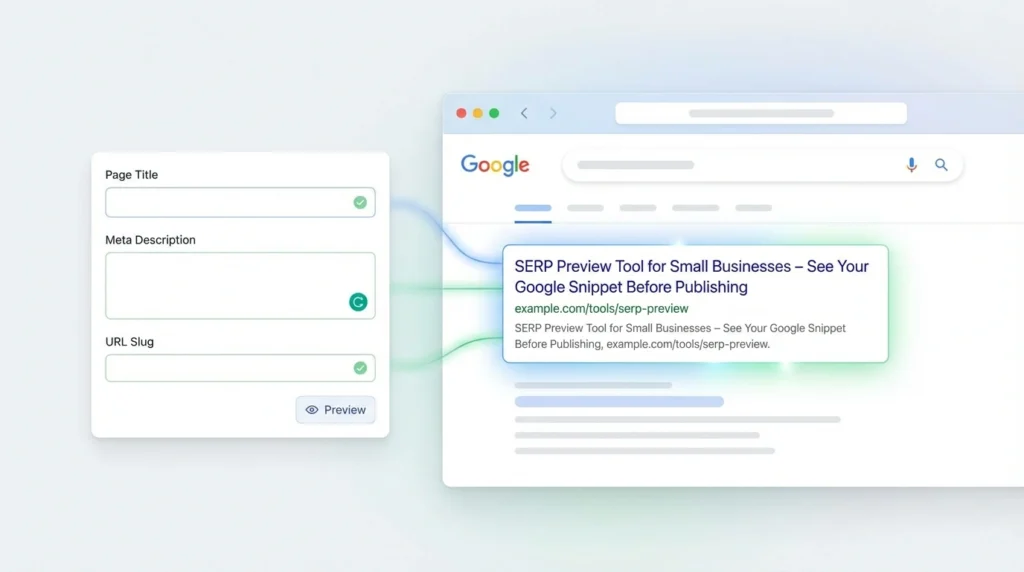
SERP Preview Tool for Small Businesses – See Your Google Snippet Before Publishing
You spent four hours writing that blog post last Tuesday.
You hit publish. Checked Google the next morning. And there it was—your beautiful title chopped off at “10 Ways to Grow Your Businesses.”
The description? Google just grabbed a random sentence from the middle of your post. Made zero sense.
You got maybe two clicks that whole week.
This happens all the time. I’ve seen it wreck dozens of small business websites. Good content that nobody clicks because the snippet looks broken.
A SERP preview tool for small businesses stops this procedure before it starts. You see what Google shows people. You fix the cut-off titles. You write descriptions that make sense. Then you publish.
This approach is effective for product pages, blog posts, landing pages, and more. Check it on mobile. Check it on your desktop. Both are free. Give it a shot right now.
How It Works
Look, it’s pretty straightforward.
Step 1: Drop your URL in there. Or just type your title and description if you want.
Step 2: Flip between mobile and desktop. Most folks search on their phones these days, so you have to check both.
Step 3: Change your text. Type something different. It updates right there while you’re typing.
Step 4: Look at what you’ve got. Make sure nothing’s getting cut off. Check how many characters you’re using. When it looks appealing, copy it and put it on your site.
Four steps. You go from a snippet nobody clicks to one that actually pulls traffic.
Features of Our Tool
Here’s what this free Google SERP preview tool actually does.
- Mobile & Desktop Preview: You see both at once. Google shows different amounts of text depending on the screen size.
- Live Changes: Type something, and see it immediately. No waiting for pages to load.
- Title & Description Checker: It tells you whether you’re following Google’s rules or not.
- Character Count & Pixel Width: Both numbers show up. You need both because Google measures in pixels, not just characters.
Small businesses use it. Agencies use it. Marketers use it. Developers use it. This SERP preview tool for developers works for pretty much everyone.
Benefits for Small Businesses
Here’s why this matters:
- More Clicks: Better snippets get more clicks. That’s just how it works. Even a few extra clicks per day add up fast.
- No More Mistakes: You won’t publish broken titles anymore. No weird descriptions. You catch that stuff before anyone sees it.
- Better Rankings: Google notices when people click your results more often. That can help you rank higher over time.
- Save Time: Remember how you used to publish something, check Google, find problems, then go back and fix them? That’s over. Get it right the first time with this SERP preview tool for small business
- You Know What Shows Up: No guessing. You see exactly what people see when they search.
Use Cases / Who Can Use It
Different folks use this SERP preview tool for marketers in different ways.
01.
Small Business Owners:
Handle your own SEO. Don’t pay someone $500 a month to do what you can do yourself.
02.
SEO Agencies:
Show clients what their snippets look like before anything goes live. Makes your job easier.
03.
Digital Marketers:
Test headlines. See which ones work. This SERP preview tool for headline testing helps you figure out what gets clicks.
04.
Content Creators:
Write titles people actually click on. Turn those blog posts into traffic sources.
05.
Developers:
Check if your schema markup works before you push it live.
Have Any Questions?*
Yeah, it’s free. There is no need for a credit card. There is no “free trial” that expires after a week. Just free.
Yep. Switch between them with one click.
It does. You can test the SERP snippet preview for events, products, reviews, and all that structured data stuff.
It’s instant. You type, and it shows up.
Use it for whatever. Blog posts, product pages, service pages, and SERP snippet previews for landing pages. The type of page doesn’t matter.
Best Practices for SERP Snippets
Here’s what actually works:
Keep titles under 60 characters. Google shows about 580 pixels of title text. If your title exceeds this limit, it will be truncated and displayed as “…”. Keep descriptions under 155 characters for desktop and 120 for mobile. Shorter often works better anyway. Put your keywords in there, but don’t force it. When someone searches, Google bolds the matching words. That catches their eye. Write something clickable. Use numbers. Ask a question. Make people curious enough to click. Add structured data if you can. Star ratings, prices, and images—those grab way more attention than plain text.
Related Tools & Resources
We’ve got other SEO tools at seotools.enneaagon.com. The SERP preview works excellently with our meta tag generator, keyword density checker, and schema markup validator.
Do you need help formulating a strategy? We wrote a guide on a small business SEO strategy. Also, check out our post, “How to Write High-CTR Meta Titles for Small Businesses,” if you want to go deeper on copywriting.
Try the tool today.
Ready to fix your snippets?
[Preview Your Google Snippet Now →]
Would you like to start a project with us?
Grow your business online with Enneaagon—a leading data-driven digital marketing agency. Get real results. Book your free strategy call today.